


 8%
8%Off
Details
ASUS
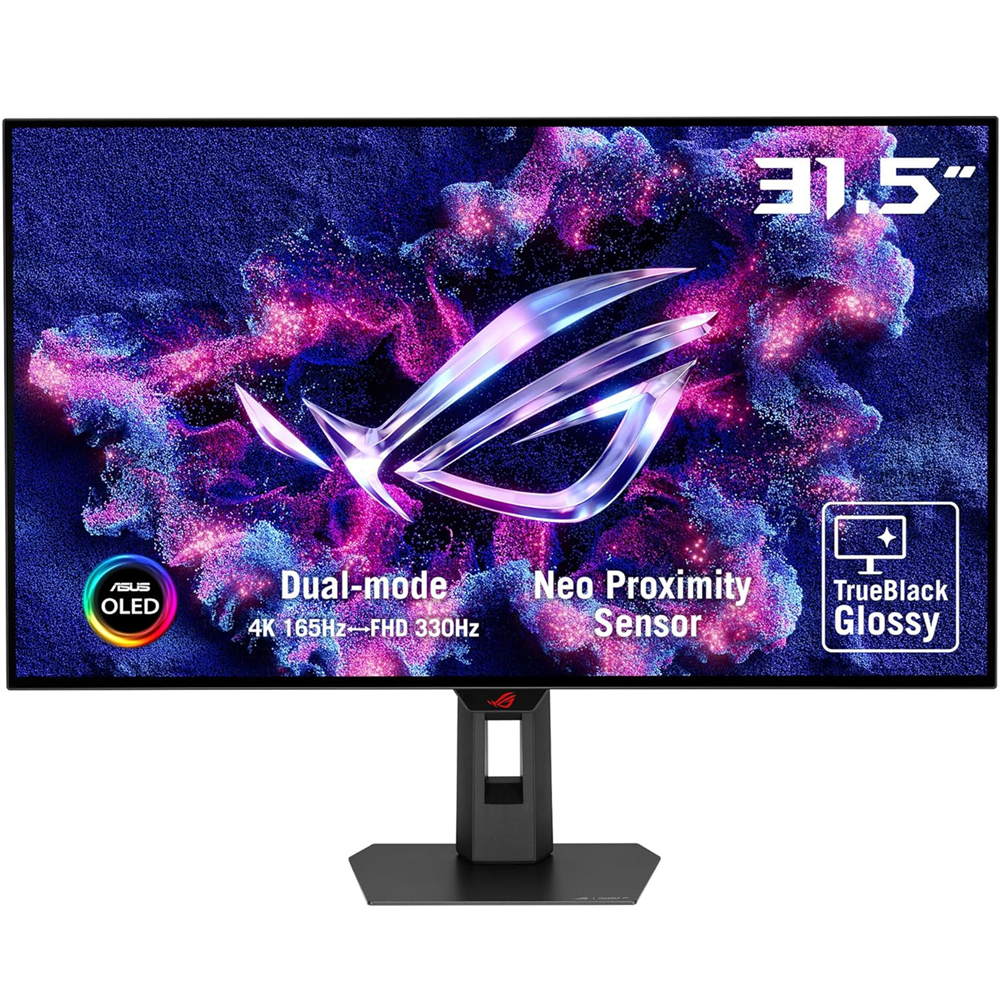
ROG Strix OLED XG32UCWG gaming monitor ―32-inch (31.5-inch viewable) 4K TrueBlack Glossy™ OLED, dual mode (4K@165Hz, FHD@330Hz), 0.03ms (GTG), G-SYNC® compatible, custom heatsink, OLED Care Pro, Neo Proximity Sensor, VESA DisplayHDR™ 400 True Black, Auto KVM, USB Type-C®
- 32-inch 4K (3840 x 2160) TrueBlack Glossy™ WOLED gaming monitor with versatile dual mode (4K@165Hz, FHD@330Hz)
- Exclusive new TrueBlack Glossy™ panel provides a zero-haze surface and exceptionally sharp imagery
- ASUS OLED Care Pro with Neo Proximity Sensor precisely detects when the user is away and switches to a black screen to reduce the risk of burn-in
- DisplayWidget Center allows users to easily access OLED Care Pro functions and adjust monitor settings using a mouse
- VESA DisplayHDR™ 400 True Black compliance, 99% DCI-P3 gamut, true 10-bit color, and Delta E < 2 color difference for astonishing HDR performance, making it perfect for photo and video editing
- New AI Assistant provides Dynamic Crosshair, Dynamic Shadow Boost, and AI Visual functions for improved gaming experiences
- Extensive connectivity options include DisplayPort™ 1.4 (DSC), HDMI® 2.1, and USB-C® with 15W Power Delivery
The ROG Strix OLED XG32UCWG is a 32-inch 4K TrueBlack Glossy™ WOLED gaming monitor that offers supersharp visuals and boasts a versatile dual-mode feature that enables seamless switching between 4K@165Hz and FHD@330Hz. Featuring the new Neo Proximity Sensor within the ASUS OLED Care Pro suite, the monitor is able to detect when the user is away and automatically transition to a black screen to guard against panel burn-in. Thanks to a compact stand, the XG32UCWG takes up minimal desktop space. Plus, it offers users an extensive array of connectivity options, including DisplayPort™ 1.4 (DSC), HDMI® 2.1, and USB-C® with 15-watt Power Delivery.
THIRD-GENERATION OLED Technology
Clear Pixel Edge Algorithm
CRYSTAL-CLEAR TEXT
EXTREME LOW MOTION BLUR
Clearer fast-moving visuals
Supersharp and clear imagery
Exclusive TrueBlack Glossy™ OLED
The ROG Strix OLED XG32UCWG features a new TrueBlack Glossy™ OLED panel with a zero-haze optical layer that presents deep blacks under any lighting. Its advanced anti-reflective coating reduces ambient reflections by 38% compared to previous-gen glossy WOLEDs, ensuring distraction-free gaming even in brightly lit rooms.
Groundbreaking Dual-Mode Feature
The ROG Strix OLED XG32UCWG offers unparalleled flexibility with its dual-mode feature, enabling users to prioritize refresh rate for fast-paced action or extreme resolution for immersive visuals. A simple press of the hotkey instantly switches between stunning 4K@165Hz imagery for AAA titles and blazing-fast FHD@330Hz for FPS gaming.
ASUS OLED CARE PRO
New ASUS OLED Care Pro technology provides a full set of customizable monitor settings to protect and ensure the longevity of the OLED panel. Plus, it includes the new Neo Proximity Sensor designed to guard against panel burn-in. All settings can be easily managed via DisplayWidget Center.
Neo Proximity Sensor
The built-in Neo Proximity Sensor precisely detects the user’s distance from the monitor. When the user steps away, the monitor transitions to a black image to protect against panel burn-in; when the user returns, content is instantly restored onscreen. Detection distance can be customized to suit personal preference, ensuring maximum convenience and protection.
* Before activating the detection function, please ensure that the monitor sensor is properly angled and cleaned by using the bundled microfiber cloth.
Pixel cleaning
Recalibrates the screen when the monitor has been active for several hours―a process that takes just a few minutes and activates automatically when the monitor is turned off*
*Do not unplug the power cord during this time as it will interrupt the pixel-cleaning process.
SCREEN MOVE
Pixel locations are slightly shifted periodically to help prevent burn-in, and users can choose between several movement levels.
SCREEN SAVER
Automatically dims the screen after two minutes of inactivity.
Logo brightness adjustment
Automatically detects static onscreen logos and reduces their brightness to correct for potential picture-quality issue.
Taskbar detection
Dynamically detects the taskbar and reduces brightness around it to avoid burn-in.
Outer dimming control
Automatically identifies and adjusts the brightest areas of the screen to reduce the risk of burn-in.
Global dimming control
Dynamically adjusts the overall brightness of the display to reduce the risk of burn-in.
Target mode
Dims the entire screen, except for a selected pinned window, which maintains its current brightness setting.
ROG OLED Anti-Flicker
ROG-exclusive OLED Anti-Flicker technology offers three refresh rate ranges ― High, Mid, Off ― to reduce flicker during frame rate fluctuations and maintain an immersive gaming experience.
*Videos may be simulated and dramatized for illustrative purposes.
Compact and Ergonomic Design
The new ROG Strix OLED series monitors feature a new compact stand that’s 45% smaller than those found on previous-generation XG monitors, freeing up valuable desk space for a keyboard and mouse. The stand offers tilt, swivel, and height adjustments for the ideal viewing position. The display is also VESA wall-mount-compatible.
Aspect Ratio Control
For competitive gamers who are more familiar with smaller 1080p monitors, the XG32UCWG can be set to replicate a 24.5-inch (esports mode) or 27-inch display, as well as other visual modes.
DisplayWidget Center
DisplayWidget Center is a powerful monitor management software designed to help users optimize, personalize, and fully utilize their display via a mouse — so there’s no need to access the OSD menu. Additionally, DisplayWidget Center offers firmware update notifications and includes a direct update option. Users can also import or export display configurations for sharing.
Auto KVM
Level up streaming setups with the Auto KVM feature and seamlessly control two gaming devices with a single keyboard and mouse, providing a more effortless and integrated multi-devices experience for users.
Uniform brightness
When activated, the ROG-exclusive Uniform Brightness* setting within the OSD menu decreases peak brightness to keep levels consistent for better viewing—even when changing the size of bright white windows. It also makes marathon gaming sessions much more comfortable on the eyes.
EXTENSIVE CONNECTIVITY
Extensive connectivity options such as DisplayPort™ 1.4 with Display Stream Compression (DSC), HDMI® 2.1, and USB-C with 15-watt Power Delivery for a wide array of multimedia devices.
- Home
- »
- Video Games
- »
- PC Games
- »
- Gaming Monitors
- »
- ASUS 32″ ROG Strix OLED XG32UCWG TrueBlack Glossy Dual mode (4K@165Hz, FHD@330Hz), 0.03ms HDR400 USB-C HDMI 2.1 Ai Gaming Monitor
ASUS 31.5″ WOLED TrueBlack Glossy Neo Proximity Sensor 99% DCI-P3 DELTA E < 2 Supersharp and clear imagery A.I. Assistant Technology: AI Visual Dual mode (4K@165Hz, FHD@330Hz) VESA DisplayHDR™ 400 True Black compliance
-
Sold by
pcstore
See other items

- SKUsku_45_9998
- ShippingOODDSS Economy Delivery 1KD,
-
Delivery
Varies for items shipped from an international location
Delivery within 4 business days - CountryKuwait
- Return0 days
Details
ASUS
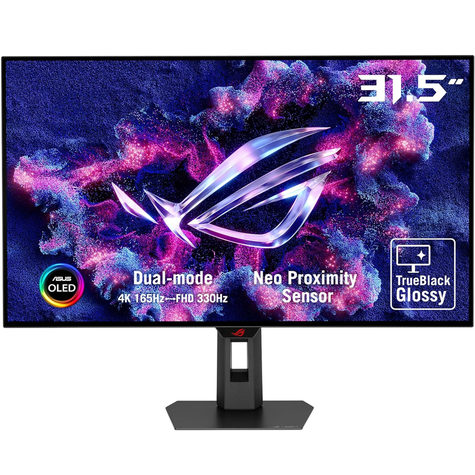
ROG Strix OLED XG32UCWG gaming monitor ―32-inch (31.5-inch viewable) 4K TrueBlack Glossy™ OLED, dual mode (4K@165Hz, FHD@330Hz), 0.03ms (GTG), G-SYNC® compatible, custom heatsink, OLED Care Pro, Neo Proximity Sensor, VESA DisplayHDR™ 400 True Black, Auto KVM, USB Type-C®
- 32-inch 4K (3840 x 2160) TrueBlack Glossy™ WOLED gaming monitor with versatile dual mode (4K@165Hz, FHD@330Hz)
- Exclusive new TrueBlack Glossy™ panel provides a zero-haze surface and exceptionally sharp imagery
- ASUS OLED Care Pro with Neo Proximity Sensor precisely detects when the user is away and switches to a black screen to reduce the risk of burn-in
- DisplayWidget Center allows users to easily access OLED Care Pro functions and adjust monitor settings using a mouse
- VESA DisplayHDR™ 400 True Black compliance, 99% DCI-P3 gamut, true 10-bit color, and Delta E < 2 color difference for astonishing HDR performance, making it perfect for photo and video editing
- New AI Assistant provides Dynamic Crosshair, Dynamic Shadow Boost, and AI Visual functions for improved gaming experiences
- Extensive connectivity options include DisplayPort™ 1.4 (DSC), HDMI® 2.1, and USB-C® with 15W Power Delivery
The ROG Strix OLED XG32UCWG is a 32-inch 4K TrueBlack Glossy™ WOLED gaming monitor that offers supersharp visuals and boasts a versatile dual-mode feature that enables seamless switching between 4K@165Hz and FHD@330Hz. Featuring the new Neo Proximity Sensor within the ASUS OLED Care Pro suite, the monitor is able to detect when the user is away and automatically transition to a black screen to guard against panel burn-in. Thanks to a compact stand, the XG32UCWG takes up minimal desktop space. Plus, it offers users an extensive array of connectivity options, including DisplayPort™ 1.4 (DSC), HDMI® 2.1, and USB-C® with 15-watt Power Delivery.
THIRD-GENERATION OLED Technology
Clear Pixel Edge Algorithm
CRYSTAL-CLEAR TEXT
EXTREME LOW MOTION BLUR
Clearer fast-moving visuals
Supersharp and clear imagery
Exclusive TrueBlack Glossy™ OLED
The ROG Strix OLED XG32UCWG features a new TrueBlack Glossy™ OLED panel with a zero-haze optical layer that presents deep blacks under any lighting. Its advanced anti-reflective coating reduces ambient reflections by 38% compared to previous-gen glossy WOLEDs, ensuring distraction-free gaming even in brightly lit rooms.
Groundbreaking Dual-Mode Feature
The ROG Strix OLED XG32UCWG offers unparalleled flexibility with its dual-mode feature, enabling users to prioritize refresh rate for fast-paced action or extreme resolution for immersive visuals. A simple press of the hotkey instantly switches between stunning 4K@165Hz imagery for AAA titles and blazing-fast FHD@330Hz for FPS gaming.
ASUS OLED CARE PRO
New ASUS OLED Care Pro technology provides a full set of customizable monitor settings to protect and ensure the longevity of the OLED panel. Plus, it includes the new Neo Proximity Sensor designed to guard against panel burn-in. All settings can be easily managed via DisplayWidget Center.
Neo Proximity Sensor
The built-in Neo Proximity Sensor precisely detects the user’s distance from the monitor. When the user steps away, the monitor transitions to a black image to protect against panel burn-in; when the user returns, content is instantly restored onscreen. Detection distance can be customized to suit personal preference, ensuring maximum convenience and protection.
* Before activating the detection function, please ensure that the monitor sensor is properly angled and cleaned by using the bundled microfiber cloth.
Pixel cleaning
Recalibrates the screen when the monitor has been active for several hours―a process that takes just a few minutes and activates automatically when the monitor is turned off*
*Do not unplug the power cord during this time as it will interrupt the pixel-cleaning process.
SCREEN MOVE
Pixel locations are slightly shifted periodically to help prevent burn-in, and users can choose between several movement levels.
SCREEN SAVER
Automatically dims the screen after two minutes of inactivity.
Logo brightness adjustment
Automatically detects static onscreen logos and reduces their brightness to correct for potential picture-quality issue.
Taskbar detection
Dynamically detects the taskbar and reduces brightness around it to avoid burn-in.
Outer dimming control
Automatically identifies and adjusts the brightest areas of the screen to reduce the risk of burn-in.
Global dimming control
Dynamically adjusts the overall brightness of the display to reduce the risk of burn-in.
Target mode
Dims the entire screen, except for a selected pinned window, which maintains its current brightness setting.
ROG OLED Anti-Flicker
ROG-exclusive OLED Anti-Flicker technology offers three refresh rate ranges ― High, Mid, Off ― to reduce flicker during frame rate fluctuations and maintain an immersive gaming experience.
*Videos may be simulated and dramatized for illustrative purposes.
Compact and Ergonomic Design
The new ROG Strix OLED series monitors feature a new compact stand that’s 45% smaller than those found on previous-generation XG monitors, freeing up valuable desk space for a keyboard and mouse. The stand offers tilt, swivel, and height adjustments for the ideal viewing position. The display is also VESA wall-mount-compatible.
Aspect Ratio Control
For competitive gamers who are more familiar with smaller 1080p monitors, the XG32UCWG can be set to replicate a 24.5-inch (esports mode) or 27-inch display, as well as other visual modes.
DisplayWidget Center
DisplayWidget Center is a powerful monitor management software designed to help users optimize, personalize, and fully utilize their display via a mouse — so there’s no need to access the OSD menu. Additionally, DisplayWidget Center offers firmware update notifications and includes a direct update option. Users can also import or export display configurations for sharing.
Auto KVM
Level up streaming setups with the Auto KVM feature and seamlessly control two gaming devices with a single keyboard and mouse, providing a more effortless and integrated multi-devices experience for users.
Uniform brightness
When activated, the ROG-exclusive Uniform Brightness* setting within the OSD menu decreases peak brightness to keep levels consistent for better viewing—even when changing the size of bright white windows. It also makes marathon gaming sessions much more comfortable on the eyes.
EXTENSIVE CONNECTIVITY
Extensive connectivity options such as DisplayPort™ 1.4 with Display Stream Compression (DSC), HDMI® 2.1, and USB-C with 15-watt Power Delivery for a wide array of multimedia devices.
You may also like
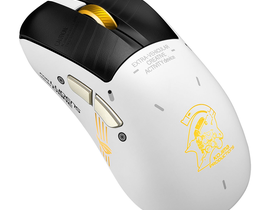
ASUS P727 ROG Keris II Origin KJP Gaming Mouse
- 233.84 USD
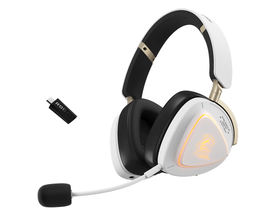
ASUS A703 ROG Delta II-KJP Gaming Headset, DualFlow Audio, Limited Edition
- 334.53 USD
 12%
12%Off
Alfa Gaming PC 1392, AMD Ryzen 9950X3D, 16GB RTX5080, 64GB RAM, 2TB NVMe, ASUS GR701, W11Pro
- 6560.59 USD
- 5813.59 USD
 10%
10%Off
Alfa Gaming PC 1393, Intel Ultra 9, 16GB RTX5070Ti, 32GB RAM, 2TB NVMe, Montech HS02, W11Pro
- 4758.05 USD
- 4319.60 USD
 12%
12%Off
Alfa Gaming PC 1394, Intel Ultra 7, 16GB RTX5060Ti, 32GB RAM, 1TB NVMe, Sharx XI700B, W11Pro
- 2289.71 USD
- 2023.39 USD
BenQ 27″ EW270Q 2K 200Hz 1ms USB-C IPS HDR Speaker Gaming Monitor
- 263.07 USD

ASUS Bundle 1397 ROG NUC (2025) Gaming Mini PC, Ultra 9, RTX 5070Ti, 32GB, 1TB NVMe, Gigabyte 27″ M27Q, Attack Shark X68MAX, X3PRO
- 3540.12 USD
 8%
8%Off
Alfa Gaming PC 1451, Intel i5-12400F, 8GB GTX4060, 16GB RAM, 500GB M.2, Sharx S200B, W11Pro
- 958.11 USD
- 883.41 USD
 13%
13%Off
Alfa Gaming PC 1452, Intel i5-14400F, 12GB RTX3060, 16GB RAM, 500GB M.2, Twisted Minds 03, W11Pro
- 1055.54 USD
- 919.13 USD
HAING GM400 Wired Gaming Mouse
- 19.49 USD